Waypoint options section
Waypoint Options
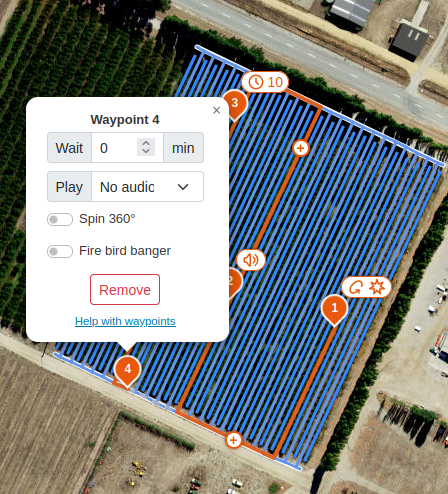
Click a placed waypoint to open its configuration window. From here you can set options for the waypoint or remove it.
| Option | Description |
|---|---|
| Wait minutes | The robot holds its position at the waypoint for the set number of minutes. Use this to control the robot's pace around the block. The horn, speaker, and bird banger continue to run as configured in the program. |
| Play audio | The robot plays a specific audio file at the waypoint. |
| Spin 360 | The robot rotates 360 degrees before moving on. Combined with spotlights, this is useful for scaring bats. |
| Fire bird banger | The robot fires the bird banger at the waypoint (see below). |
Fire bird banger fires immediately, regardless of the program's bird banger timer. For example, if the next timed salvo is not due for another 5 minutes, the banger still fires at the waypoint. The timer then resets, so the next timed salvo is a full interval later.
The bird banger only fires within its allowed time window, which by default is from 1 hour after sunrise to 1 hour before sunset. Outside this window, the waypoint's Fire bird banger option is ignored.
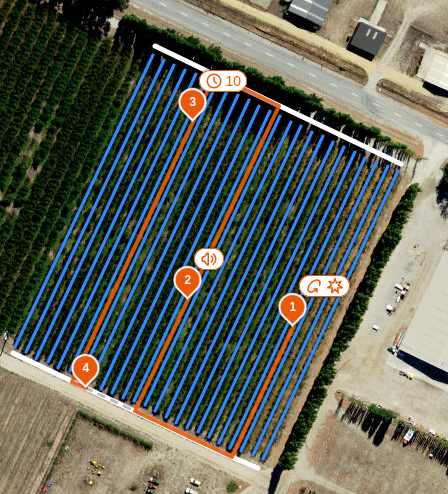
Waypoints with options set are shown on the map with icons beside them.